


Advanced editing: managing dynamic popups from custom RTE dialog
One day a request came up from the business, they wanted to have a nice "information" icon appearing aside from a text, clicking which opens up a popup modal dialog showing more information related to that line of content. From an UX point of view that works as a decent solution preventing page from bloating with more-specific info.
From page visitor's eyes it looks as below:
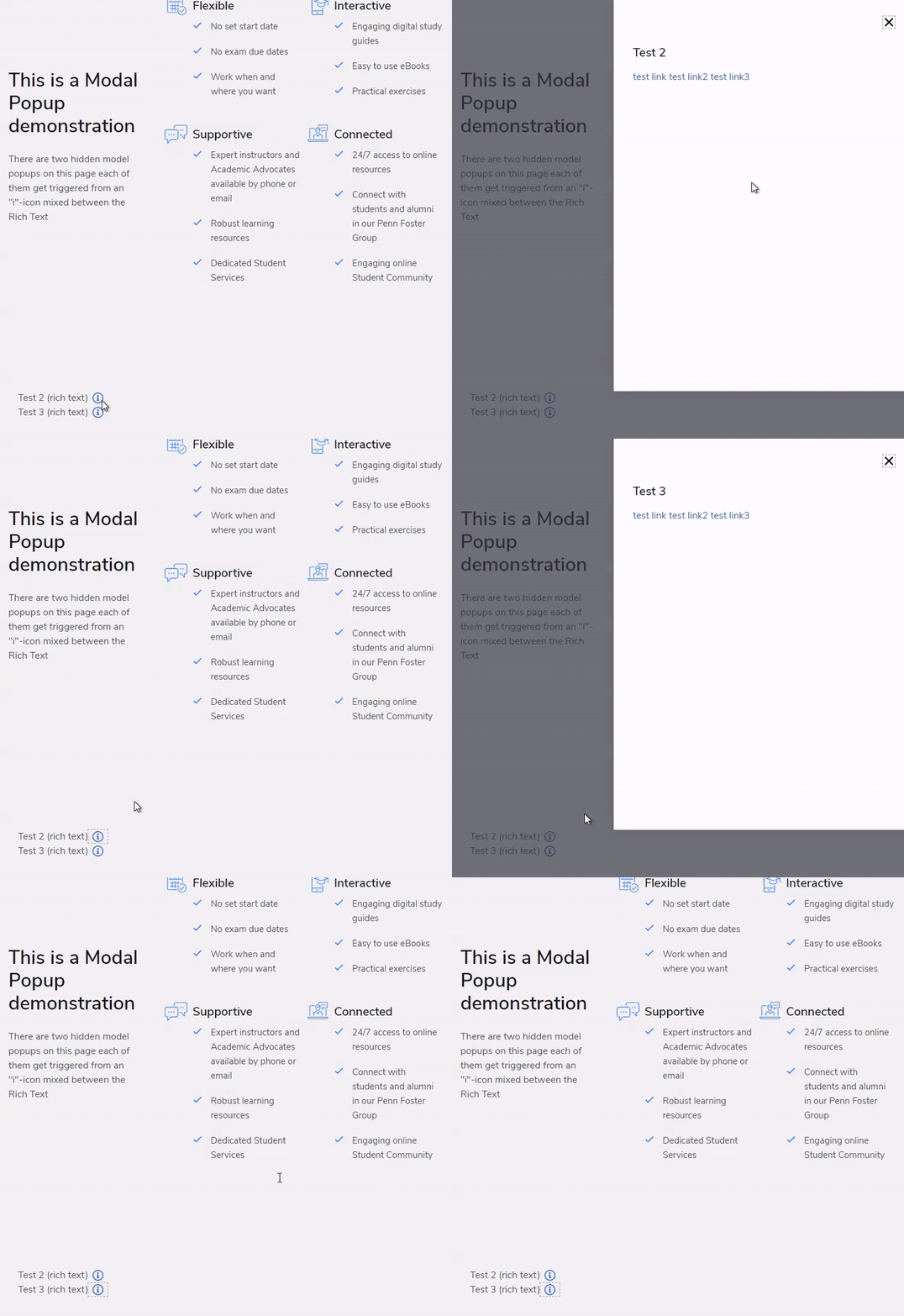
There was a FE code provided that does exactly as described. If I was responsible for Front-End, I'd have chosen using Emoji as they're an official part of Unicode, as therefore gets supported with all browsers. But front-end was handed to me as given and I assume there was a decent reason for using it in a provided way.
An any case, our mission will be implementing that with BE with certain challenges:
- You may have multiple popups on the single page, at least more than one.
- User needs being able dynamically adding popups to a page (sometimes removing them).
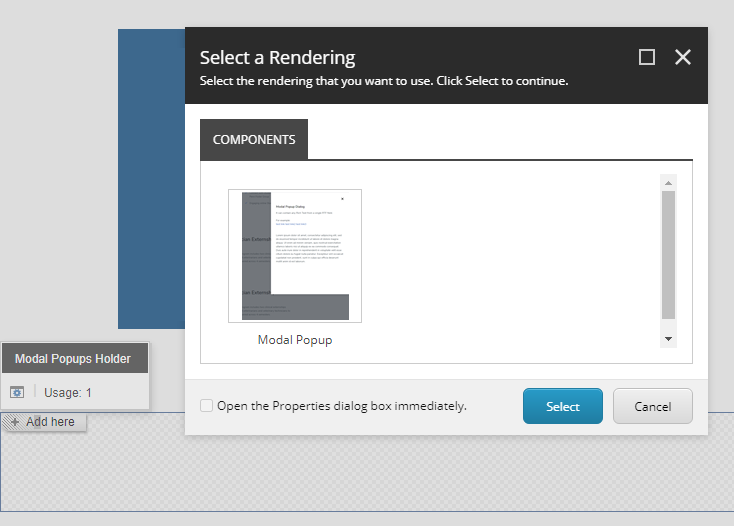
- Each popup needs to be editable, while in their normal state they are hidden.
- Because of that above, there bight be a user-friendly way of distinguishing popups and giving them individual names.
- An information icon should be editable from with Rich Text, mixed along classical RTE interface
- Each "i"-icon should get referenced with a specific popup, so that clicking different icons trigger different popups.
- Because of that, a clear and nice way of referencing and icon to a popup should be presented.
- The BE solution is classical MVC implementation, with no SXA or JSS (unfortunately)
THOUGHTS
... content goes here
@if (Sitecore.Context.PageMode.IsExperienceEditor)
{

        Modal popup: @name

}
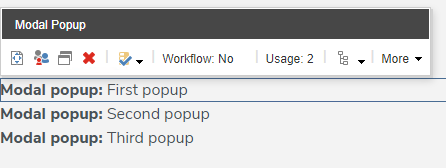
Title with Rich Text template. A simple code-generated Glass model coming from Leprechaun (but could be anything, i.e. T4 templates) gets passed into a MVC View.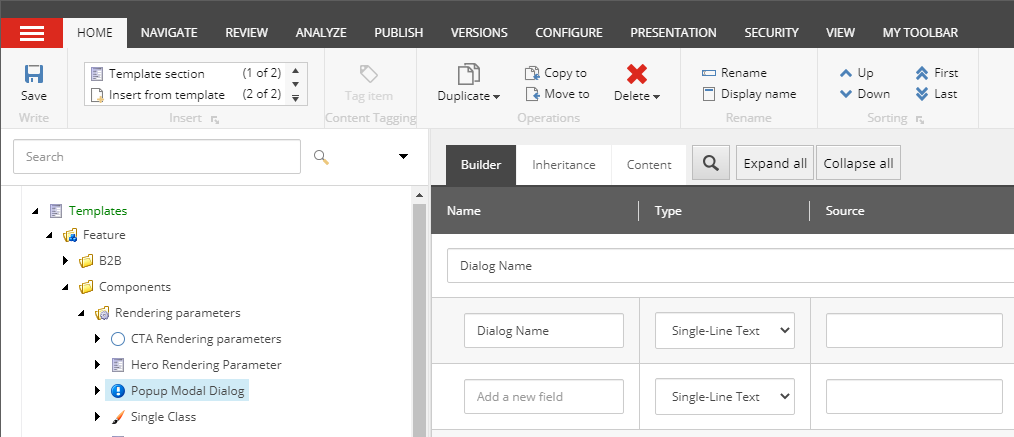
<button data-name="NAME_OF_POPUP" type="button" aria-label="View Info" aria-haspopup="dialog" class="button--more-info a-icon-info"></button>
IMPLEMENTATION
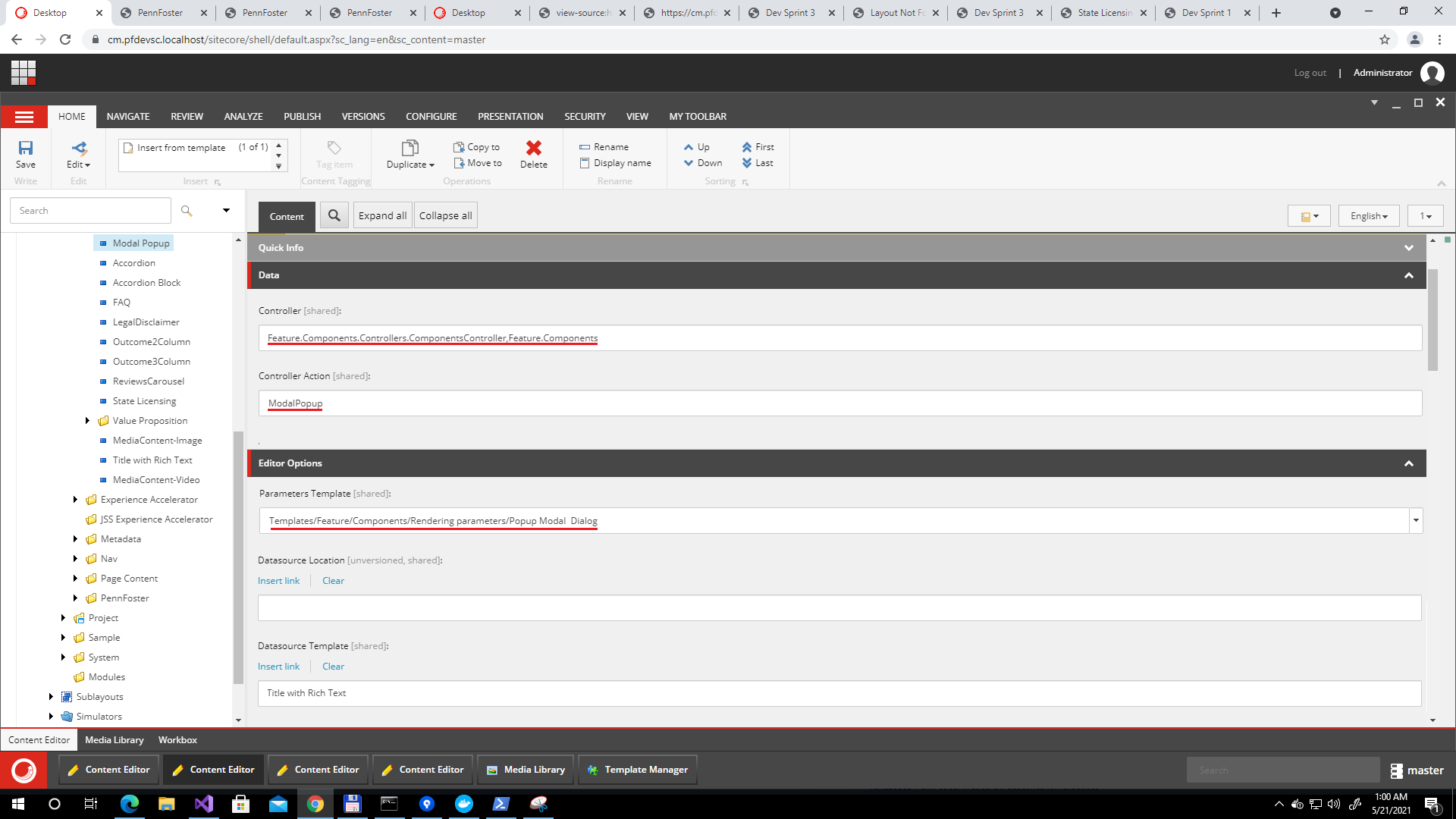
@using Glass.Mapper.Sc.Web.Mvc
@using Feature.Components.Templates
@using Feature.Components.Extensions
@model ITitleWithRichText
@{ var name = Html.GetRenderingParametersString<IPopupModalDialog>(m => m.DialogName); }
@Html.Glass().Editable(m => m.Title)
@Html.Glass().Editable(m => m.Text)
@if (Sitecore.Context.PageMode.IsExperienceEditor)
{
Modal popup: @name
}
public ActionResult ModalPopup()
{
    var model = _componentsRepository.GetModel<ITitleWithRichText>();
    return View("~/Views/Feature/Components/ModalPopup.cshtml", model);
}
/sitecore/system/Settings/Html Editor Profiles/Custom
HtmlEditor.DefaultProfile setting to the one we've just created:
/sitecore/system/Settings/Html Editor Profiles/Custom
/sitecore/system/Settings/Html Editor Profiles/Custom/Toolbar 2. 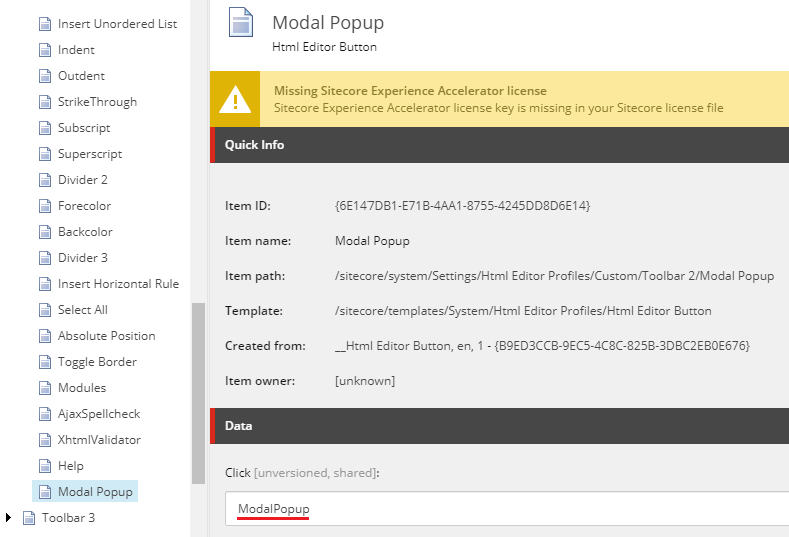
sitecore/shell/Themes/Standard/Images/Editor/WebResource.png by specifying offset in style:html .ModalPopup { background-position: -6px center }
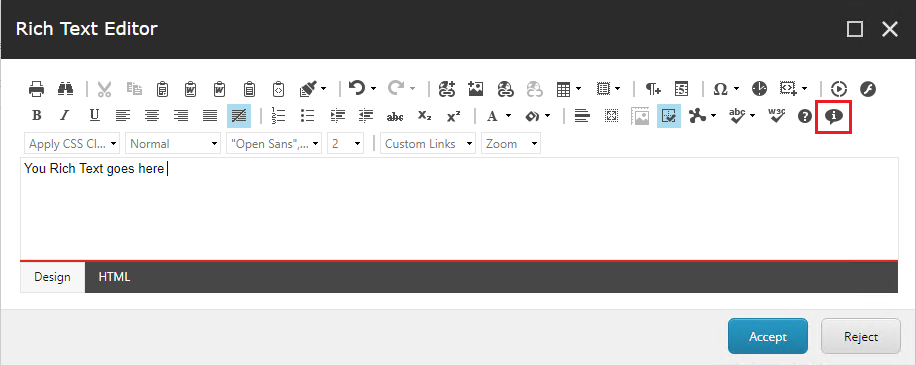
sitecore\shell\Controls\Rich Text Editor\RichText Commands.js file:Telerik.Web.UI.Editor.CommandList["ModalPopup"] = function(commandName, editor, args) {
var html = editor.getSelectionHtml();
var id;
if (!id) {
id = GetMediaID(html);
}
scEditor = editor;
editor.showExternalDialog(
"/sitecore/shell/default.aspx?xmlcontrol=RichText.ModalPopup&la=" + scLanguage + (id ? "&fo=" + id : "") + (scDatabase ? "&databasename=" + scDatabase : "") ,
null, 400, 260, scModalPopup, null, "Insert Modal Popup Dialog", true, Telerik.Web.UI.WindowBehaviors.Close,false, false
);
};
function scModalPopup(sender, returnValue) {
if (!returnValue) {
return;
}
scEditor.pasteHtml(unescape(returnValue.Text), "DocumentManager");
}
What the above code does is adds the Telerik.Web.UI.Editor.CommandList["ModalPopup"] handling code (note that "ModalPopup" matches the value from Click command we entered into a profile at core database; it also adds scModalPopup handler that actually pastes resulted markup into Rich Text Editor.- XML markup that dictates how control layout should be laid
- Codebehind similar to old knows ASP.NET WebForms (not to confuse with another deprecated tolset - WFFM)
- Related JavaScript code
Please enter your modal dialog ID. That is the value being rendered with 'data-name' attribute of a modal popup.
<richtext.modalpopup> section that hard-ties to the command from previous steps. It also has <codebeside> section that references C# code doing the rest of its logic behing the markup, here is it below:ModalPopup.csusing System;
using Sitecore.Web.UI.Pages;
using Sitecore.Diagnostics;
using Sitecore;
using Sitecore.Web;
using Sitecore.Web.UI.Sheer;
namespace Foundation.Editing.Dialogs
{
public class ModalPopup : DialogForm
{
protected Sitecore.Web.UI.HtmlControls.Combobox Target;
string Wrapping = @"";
protected override void OnLoad(EventArgs e)
{
Assert.ArgumentNotNull(e, "e");
base.OnLoad(e);
if (!Context.ClientPage.IsEvent)
{
Mode = WebUtil.GetQueryString("mo");
Context.ClientPage.ClientScript.RegisterStartupScript(GetType(), "script", "scOnLoad();", true);
}
}
protected override void OnOK(object sender, EventArgs args)
{
Assert.ArgumentNotNull(sender, "sender");
Assert.ArgumentNotNull(args, "args");
string code = string.Format(Wrapping, Target.Value);
if (Mode == "webedit")
{
SheerResponse.SetDialogValue(StringUtil.EscapeJavascriptString(code));
base.OnOK(sender, args);
}
else
{
SheerResponse.Eval($"scClose({StringUtil.EscapeJavascriptString(code)})");
}
}
protected override void OnCancel(object sender, EventArgs args)
{
Assert.ArgumentNotNull(sender, "sender");
Assert.ArgumentNotNull(args, "args");
if (Mode == "webedit")
{
base.OnCancel(sender, args);
}
else
{
SheerResponse.Eval("scCancel()");
}
}
protected string Mode
{
get
{
string str = StringUtil.GetString(base.ServerProperties["Mode"]);
if (!string.IsNullOrEmpty(str))
{
return str;
}
return "shell";
}
set
{
Assert.ArgumentNotNull(value, "value");
base.ServerProperties["Mode"] = value;
}
}
}
}
<button> tag store at Wrapping string variable:sitecore\shell\Controls\Rich Text Editor\ModalPopup\ModalPopup.js that handles client-side part for this control:function scClose(text) {
var returnValue = {
Text: text
};
getRadWindow().close(returnValue);
}
function GetDialogArguments() {
return getRadWindow().ClientParameters;
}
function getRadWindow() {
if (window.radWindow) {
return window.radWindow;
}
if (window.frameElement && window.frameElement.radWindow) {
return window.frameElement.radWindow;
}
return null;
}
var isRadWindow = true;
var radWindow = getRadWindow();
if (radWindow) {
if (window.dialogArguments) {
radWindow.Window = window;
}
}
function scOnTargetLoad() {
}
function scOnLoad() {
let select = document.getElementById("Target");
let list = parent.parent.parent.document.querySelectorAll('section[data-name]')
let values = Array.from(list).map(x => x.getAttribute('data-name'));
for (var i = 0; i < values.length; i++) {
var opt = document.createElement('option');
opt.innerHTML = values[i];
opt.value = values[i];
select.appendChild(opt);
}
}
function scCancel() {
getRadWindow().close();
}
function scCloseWebEdit(embedTag) {
window.returnValue = embedTag;
window.close();
}
if (window.focus && Prototype.Browser.Gecko) {
window.focus();
}
scOnLoad() method. I created and referenced this handler to exactly catch the moment the drop-down is actually created on the control - that is not trivial as is instantiated asynchronously far later that holding control itself. Once created, I am crawling the triple-parent iframe for the presence of popup modal windows, and grab their name into a drop-down, if found. RichText Commands.js file into Foundation.Editing project as per Helix guidance.That guarantees all these related code, scripts and items get kept together.DEMO TIME
Thanks for reading and watching!